Never build a mobile app without these 3 free services
I would never build a mobile app without using these 3 free services.
That might sound dramatic, but I mean it.
When people think about building a mobile app, they usually think about the app screens first. Login, profile, feed, settings, checkout, onboarding, all of that. And yes, those screens matter. But once the app is in real people's hands, the question changes.
Now you need to know:
- How do I get users back into the app?
- How do I make money from the app?
- How do I know when the app is crashing?
- How do I fix issues before users silently leave?
That is why I like having a few core services in place early. They do not replace good product work, clean code, or strong UX. But they give you the infrastructure you need to operate the app after launch.
For me, the 3 I would not skip are OneSignal, RevenueCat, and Sentry.
1. OneSignal for push notifications
OneSignal gives you free push notifications inside your app.
Push notifications are critical for getting people back into your app after they have left, letting them know what's happening, and driving usage when you need it.
This is especially true if your app depends on habits, reminders, activity updates, social interactions, messages, appointments, content drops, streaks, or anything that needs a user to come back at the right moment.
You can have the best app in the world, but if users forget it exists after the first session, you are going to have a retention problem.
The key is not to spam people. The key is to send messages that are useful.
Good push notifications might be:
- A reminder the user asked for
- A message from another person
- A status update they care about
- A time-sensitive offer
- A new activity in a group or community
- A nudge to finish something they already started
Bad push notifications are just noise.
OneSignal's push notification docs cover mobile push setup, targeting, personalization, scheduling, analytics, action buttons, deep links, and platform support for iOS and Android. Their pricing page is also worth checking before launch because limits and plan details can change.
The part I care about most is that you can get the basics working quickly. You can send a notification from a dashboard, target groups of users, test delivery, and start learning what actually brings people back.
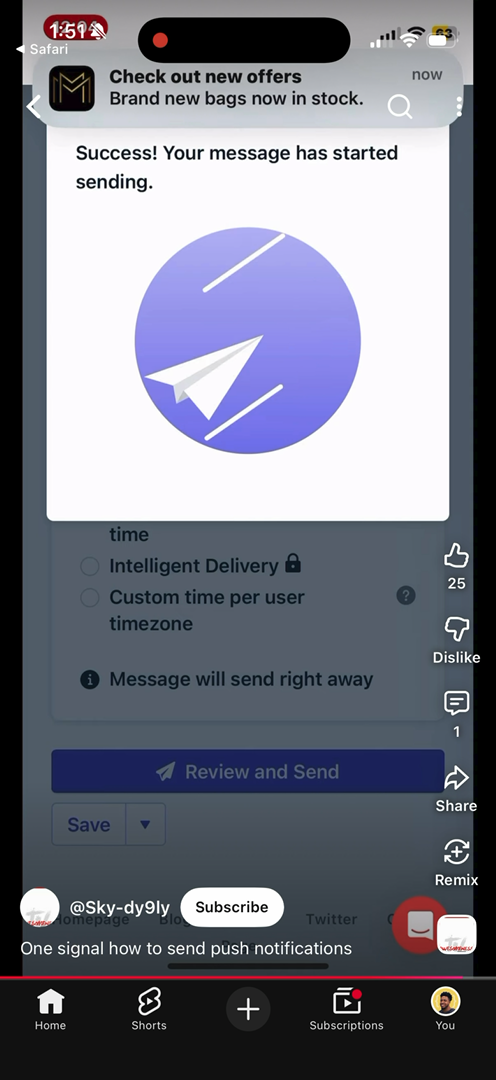
If I am building a new app, I want push notifications wired in before I need them. Waiting until later usually means you are trying to add it during a launch, a marketing push, or a retention problem.
That is not the moment where you want to be debugging certificates, permissions, segments, payloads, or deep links.
2. RevenueCat for subscriptions and in-app purchases
If you are trying to make money from your app, sell anything through the App Store, or add subscriptions, RevenueCat makes it super simple.
Some people like Superwall, which is great too, but I prefer RevenueCat.
You can set up paywalls and subscriptions easily and quickly, and it works across iOS and Android.
The reason this matters is that app monetization can get annoying fast. Apple has StoreKit. Android has Google Play Billing. You have product IDs, entitlements, restore purchases, receipt validation, free trials, renewals, cancellations, refunds, billing issues, sandbox testing, and edge cases that users will absolutely hit.
Apple's official in-app purchase docs explain the App Store side of the system, but if you are building cross-platform, you usually want one place to reason about access.
That is where RevenueCat shines.
Instead of your app trying to manually decide whether a user should have premium access, RevenueCat gives you a cleaner way to manage products, offerings, subscriptions, and entitlements.

RevenueCat's quickstart walks through setting up the SDK, fetching offerings, handling purchases, checking subscription status, and restoring purchases. Their pricing page says you can start free and pay based on tracked revenue after the free threshold, so it is friendly for early products that have not proven monetization yet.
The biggest benefit is speed.
You can ship a paywall without building your own subscription backend from scratch. You can test offers, manage access, and support both app stores without turning your whole roadmap into payment infrastructure.
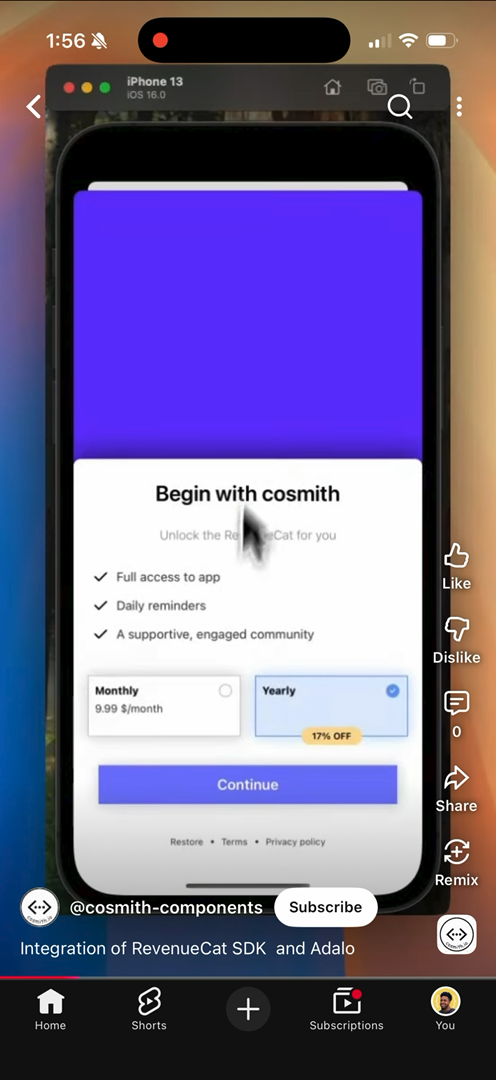
If your app has any premium feature, paid content, subscription tier, pro account, or unlockable experience, I would rather have RevenueCat in early than try to bolt it on after users already exist.
Payment bugs are not just technical bugs. They create support issues, trust issues, and revenue issues.
3. Sentry for crash reporting and debugging
You might say this ain't super critical, but you need to know when your app is crashing.
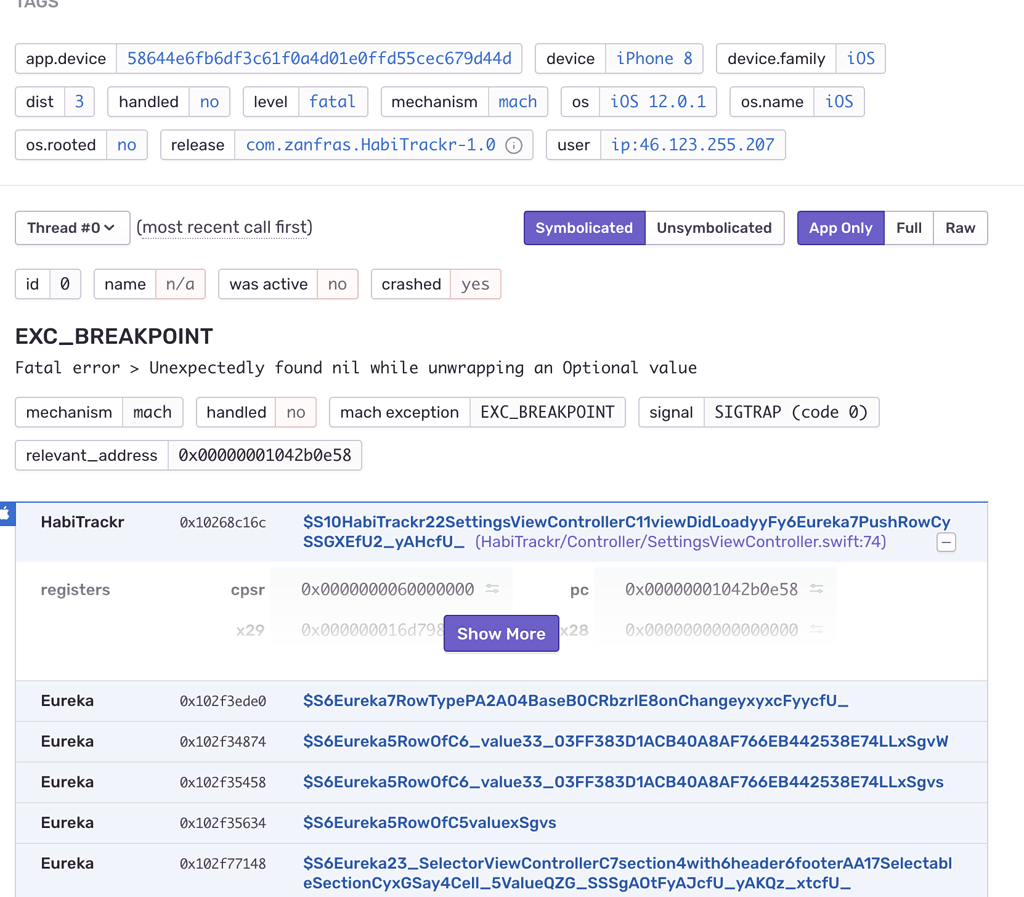
You need to know how the app crashed, what the user was doing, and the deeper technical context plus stack traces.
You also need to detect usage patterns that lead to crashes so you can fix issues and improve the app.
This is one of those things that feels optional until the first bad release.
Without crash reporting, users can hit a broken flow and disappear. Maybe they leave a bad review. Maybe they never say anything. Maybe they assume your app is low quality and uninstall it.
That is a painful way to learn about production issues.
Sentry gives you visibility. For a mobile app, I want to know:
- Which release is crashing?
- Which device or operating system is affected?
- What stack trace points to the crash?
- What screen or action happened before it?
- How many users are impacted?
- Is this a one-off issue or a pattern?

The Sentry React Native docs are a good place to start if you are building with React Native, and Sentry also supports native iOS and Android. Their pricing page includes a free developer plan, which is enough to make crash visibility realistic even for small projects.
The value is not only "something crashed." The value is the context around the crash.
Stack traces, tags, release data, affected users, breadcrumbs, and device details help you move from "someone said it broke" to "I know where to look."
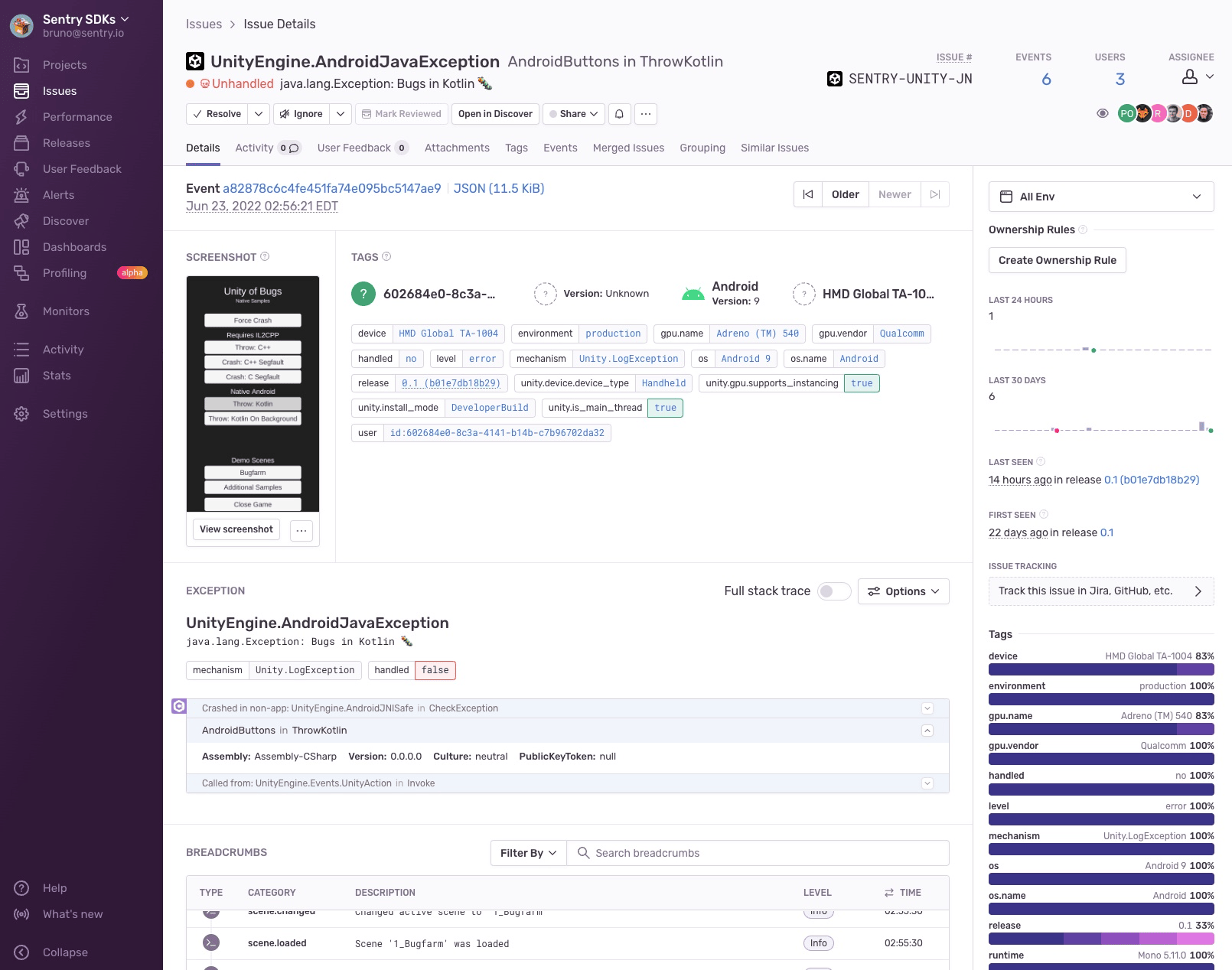
That is the difference between guessing and debugging.
And once your app has real users, guessing gets expensive.
How I would wire these into a real mobile app
If I were building a new mobile app today, I would set these up in this order:
- Sentry first, because I want crash visibility before test users touch the app.
- OneSignal second, because push permissions, segments, and deep links should be planned before launch.
- RevenueCat when monetization enters the product, or earlier if subscriptions are part of the initial model.
I would not wait until the app feels "big enough."
The earlier these services are in place, the easier it is to build habits around them.
For example, every release should be visible in Sentry. Every important notification should have a reason to exist. Every paid feature should map cleanly to an entitlement.
That is how you avoid turning your app into a pile of one-off decisions.
These tools also help you think like an operator, not just a builder.
Building asks: can I make this feature work?
Operating asks: can I keep users engaged, collect revenue, detect failures, and improve the product after it ships?
That second question is where a lot of apps struggle.
Final thoughts
I would never build a mobile app without using these 3 free services:
- OneSignal for push notifications
- RevenueCat for subscriptions and in-app purchases
- Sentry for crash reporting and debugging
They help with the parts of the app that matter after launch: retention, monetization, and reliability.
You still need to build something people want. You still need good onboarding, good UX, and good reasons for users to come back.
But these services give you a stronger foundation.
OneSignal helps you reach users. RevenueCat helps you make money. Sentry helps you understand when the app is breaking.
That combination is hard to beat, especially when you are trying to move fast without building every piece of infrastructure yourself.
Thoughts?
Drop any other free services you would add.
